Hospital equipment purchasing affects clinical workflow, staff time, space planning and future operating costs. A model that looks suitable in a brochure may still be the wrong choice if essential accessories are excluded, the room is not ready, users cannot operate it comfortably or service support does not match the facility’s needs.
This guide helps hospital administrators, procurement teams, biomedical personnel and clinical users organise purchase evaluation. It is a commercial planning resource—not clinical, engineering, legal or regulatory advice. Appropriately qualified personnel should approve technical requirements, installation, testing and clinical use.
1. Confirm the Clinical and Operational Need
Start with the problem the equipment must solve. Record the department, intended clinical use, patient group, expected daily volume, operating hours and users. State whether the purchase replaces an existing unit, expands capacity or introduces a new service.
- What activity must the equipment support?
- Who will operate, clean, inspect and maintain it?
- Will it remain in one room or move between departments?
- What patient sizes or use conditions must it accommodate?
- What downtime can the department tolerate?
- Does it need to work with existing accessories, furniture or information systems?
2. Separate Mandatory Specifications from Preferences
A specification should describe the required outcome and essential performance without including features that add cost but do not improve the intended use. Mark each point as mandatory, preferred or optional. Ask suppliers to respond to every mandatory item and clearly identify deviations.
| Evaluation area | What to record |
|---|---|
| Clinical application | Department, patient group, intended tasks and use frequency |
| Performance | Required capacity, operating modes, ranges and essential functions |
| Physical design | Dimensions, weight, mobility, safe working load and mounting needs where relevant |
| Utilities | Electrical supply, battery, water, drainage, gas, ventilation or network needs |
| Compatibility | Existing accessories, consumables, software, furniture or facility systems |
| Documentation | Datasheet, user instructions, warranty, service and supplied records |
3. Complete a Site-Readiness Review
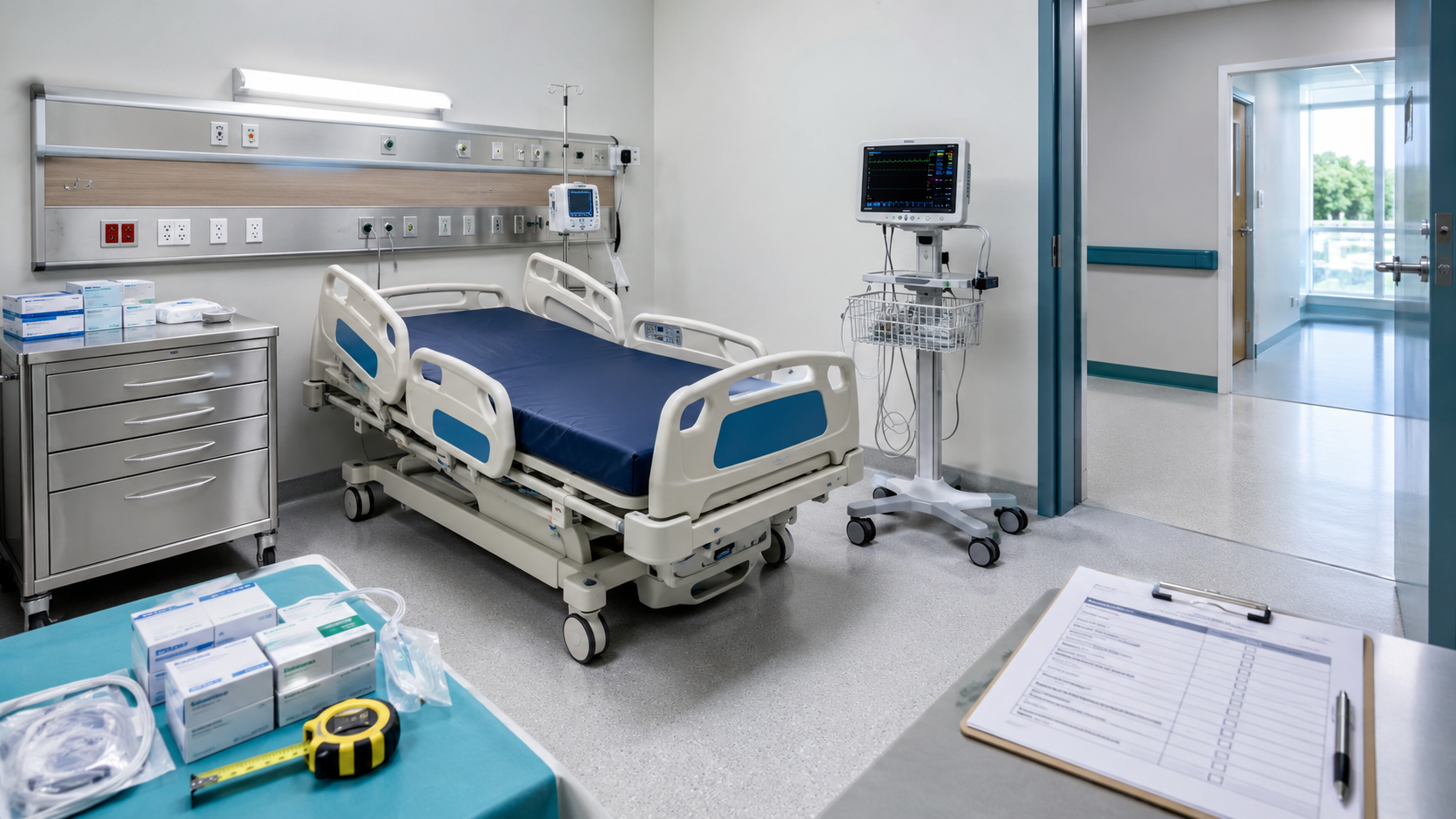
Measure the placement area, doorway, corridor, lift and delivery route. Confirm floor access, turning space, safe clearance, electrical outlets and the location of utilities. Check whether the room allows staff to operate, clean and service the equipment without obstructing patient movement.
For utility-dependent or fixed equipment, involve facility, electrical, biomedical and IT teams early. Record who provides any civil work, mounting, network configuration, voltage protection, backup power or environmental preparation. Site changes agreed after delivery often affect cost and opening schedules.
4. Identify Every Accessory and Consumable
Do not assume the quoted main unit includes everything needed for routine operation. Create an accessories schedule showing each required cable, probe, cuff, sensor, battery, charger, stand, mounting component, tray or starter pack. Ask the supplier to mark each item as included, optional or excluded.
For recurring-use products, record compatible references, expected consumption, packaging, shelf life, local availability and estimated cost. Consider whether the hospital already stocks a compatible item or whether the purchase introduces a separate inventory line. Equipment availability is of limited value if essential consumables cannot be replenished.
5. Evaluate Usability and Workflow Fit
Include representative users in demonstrations or sample evaluations where practical. Review controls, display visibility, alarms, mobility, cleaning access, storage, transfer between power sources and the steps required for routine use. A feature-rich product can still reduce efficiency if basic actions are difficult.
Clinical fit
Does it perform the required task for the intended users and patients?
Workflow fit
Can it be positioned, moved, cleaned and stored in the actual department?
Technical fit
Are utilities, accessories, servicing and integration practical?
Commercial fit
Are total costs, delivery, warranty and support acceptable?
6. Compare Quotations on the Same Basis
Each quotation should identify the exact manufacturer, model, configuration and offered specifications. Compare quoted quantities, accessories, consumables, taxes, freight, installation, training, warranty and delivery dates line by line. Record differences rather than relying on the total at the bottom of the quote.
When approaching hospital equipment suppliers in Chennai, provide the same requirement sheet to every shortlisted supplier. Ask whether the model is current, whether alternatives have been proposed and how long the commercial offer remains valid.
7. Calculate Total Ownership Cost
The purchase price is only one part of cost. Depending on the equipment, the facility may also pay for room preparation, accessories, installation, user training, recurring consumables, electricity, batteries, calibration, preventive maintenance, software, service visits and replacement parts.
- Initial equipment and included configuration
- Required accessories and starting consumables
- Delivery, installation, configuration and testing
- Training for users and technical personnel
- Preventive maintenance and calibration where applicable
- Warranty exclusions and post-warranty service options
- Expected component, battery or accessory replacements
- End-of-life replacement or disposal planning
Use a consistent evaluation period for all shortlisted options. If exact future costs are unavailable, record the assumption and request clarification instead of treating missing information as zero cost.
8. Review Warranty, Service and Spare Support
Confirm when the warranty begins, what it covers, what it excludes and who provides support. Ask about response arrangements, preventive maintenance, service location, replacement parts, software support and escalation contacts. Clarify whether damage to accessories, batteries and consumable components is treated differently from the main unit.
For equipment critical to continuous service, define the hospital’s response to downtime before purchase. This may involve backup units, internal troubleshooting, a service agreement or another documented continuity plan appropriate to the facility.
9. Agree Installation, Training and Handover
Delivery is not the same as clinical readiness. The purchase order should state whether the supplier is responsible for assembly, installation, configuration, demonstration, testing, training and documentation. Identify hospital contacts from procurement, stores, facilities, biomedical, IT and the user department.
Training should match the equipment and users. Confirm who will attend, whether technical and user sessions are separate, what materials are provided and how additional staff will be trained later. Retain attendance or handover records according to the facility’s process.
10. Final Order-Confirmation Checklist
- Exact model and configuration match the approved evaluation.
- Quantities and included accessories are listed individually.
- Excluded accessories and optional items are understood.
- Site work and installation responsibilities are assigned.
- Delivery location, route, schedule and receiving contact are confirmed.
- Training, documentation, warranty and service terms are written.
- Taxes, payment terms, quotation validity and cancellation conditions are clear.
- Acceptance criteria and responsible hospital personnel are identified.
11. Inspect and Accept the Delivered Equipment
At receipt, match the delivery with the purchase order and packing list. Check model, serial number, quantity, accessories, physical condition and supplied documentation. Qualified personnel should complete the appropriate installation, functional, safety or performance checks before the equipment enters clinical service.
Create an asset record containing the location, serial number, supplier contact, installation date, warranty dates and baseline documents. Note unresolved shortages or damage in writing. Formal acceptance should occur only when the agreed requirements are satisfied under the facility’s process.
Frequently Asked Questions
What should a hospital check before ordering medical equipment?
Confirm the clinical use, user group, patient volume, essential specifications, accessories, consumables, available space, utilities, installation, training, warranty, service arrangements, delivery schedule and acceptance requirements.
Why should hospitals calculate total ownership cost?
The purchase price may exclude accessories, consumables, installation, utilities, training, maintenance, calibration, software, batteries and replacement parts. Reviewing these costs provides a more realistic comparison between options.
What details should be included in a hospital equipment quotation?
The quotation should identify the exact model, essential specifications, included accessories, excluded items, quantity, price, taxes, delivery, installation, training, warranty, service terms and validity period.
Is equipment ready for use immediately after delivery?
Not necessarily. Depending on the equipment and facility process, it may require installation, configuration, documented checks, acceptance testing, user training and formal handover by qualified personnel before clinical use.
Preparing a Hospital Equipment Enquiry?
Send Sakthi Pharma Surgical the equipment name, intended use, quantity, essential features and Chennai delivery location for an availability-based discussion.
Send Your Requirement